
Overview
BallonTranslator’s automated translation system combines four AI-powered modules to deliver complete manga/comic translation in a single click:- Text Detection - Locate text regions in images
- OCR (Optical Character Recognition) - Extract and recognize text
- Machine Translation - Translate extracted text
- Inpainting - Remove original text from images
The final quality depends on the combined performance of all four modules. Results work best with Japanese manga and Western comics.
Running Auto-Translation
Configure Languages
Set your source language and target language in the bottom toolbar before starting translation.
Open Project
Open a folder containing manga/comic images. BallonTranslator will load all images automatically.
Click Run
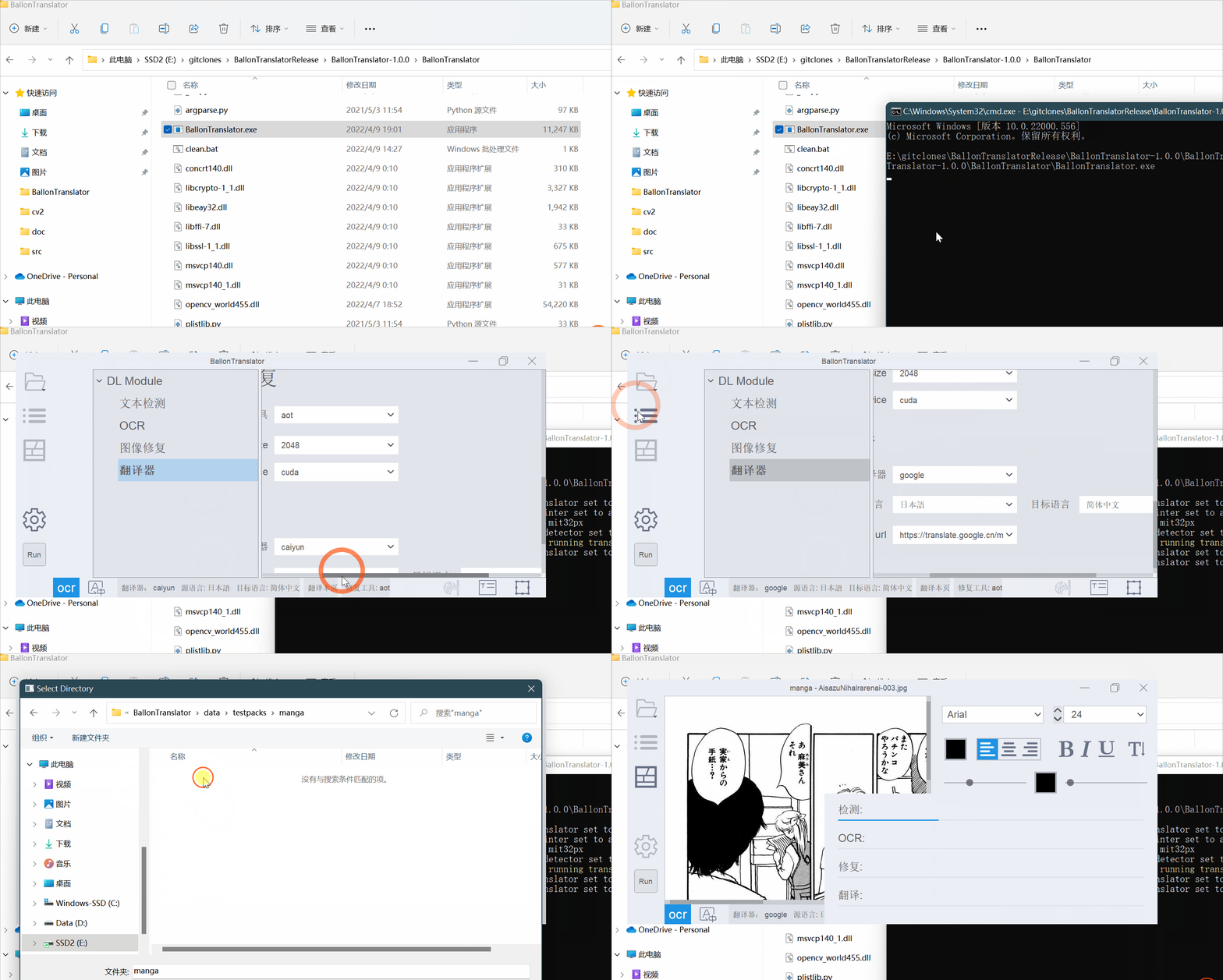
Click the Run button in the left sidebar or use the Run menu to start the translation pipeline.The system will:
- Detect text regions automatically
- Extract text using OCR
- Translate text to your target language
- Inpaint (remove) original text
- Render translated text with intelligent formatting
Intelligent Text Rendering
The translation system automatically estimates and applies formatting based on the original text layout:Automatic Detection
- Color - Text and outline colors are extracted from original
- Angle - Text rotation is preserved
- Alignment - Horizontal/vertical orientation detected
- Font Size - Adjusted to fit text balloons
Optimized Layouts
Japanese → English: Text layout references extracted background balloonsEnglish → Chinese: Chinese text uses pkuseg for intelligent line breakingJapanese → Chinese: Vertical layout optimization (under development)
Customizing Translation Output
You can control how translated text is rendered:Using Global Font Format
By default, the program automatically determines text formatting. To use custom global settings:Set Global Format
The global font format is what appears in the right font panel when no text blocks are selected: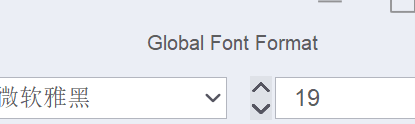 Adjust font family, size, color, stroke, and other properties.
Adjust font family, size, color, stroke, and other properties.Module Configuration
Each automation module can be configured individually:- Text Detector - Choose detection model and adjust sensitivity
- OCR - Select OCR engine and enable font detection
- Translator - Configure API keys, select translation service
- Inpainter - Choose inpainting algorithm
Selective Module Execution
You can enable/disable individual modules from the Run menu:- Enable/Disable Detection - Toggle text detection
- Enable/Disable OCR - Toggle text recognition
- Enable/Disable Translation - Toggle machine translation
- Enable/Disable Inpainting - Toggle text removal
With all modules disabled, clicking Run will re-render existing text blocks using current font settings and lettering configuration.
Translation Workflow Demo
Batch Processing (Headless Mode)
For processing multiple directories without GUI:All settings (detection model, source/target language, etc.) are loaded from
config/config.json.If rendered font sizes are incorrect, specify Logical DPI using --ldpi (usually 96 or 72).Supported Languages
Detection
- Japanese (and similar block characters)
- English
- Third-party: Dangosoft OCR (requires account)
Translation Services
BallonTranslator supports multiple translation engines:- Google Translate (requires proxy in mainland China)
- DeepL
- Caiyun (requires token)
- Papago
- Sugoi (offline, Japanese→English only)
- Sakura-13B-Galgame (local LLM)
- OpenAI-compatible APIs
- m2m100 (offline multilingual)
Performance Tips
- GPU Acceleration: Automatically enabled for NVIDIA GPUs and Apple Silicon
- First Run: Models download automatically on first execution
- Accuracy: Works best with simple backgrounds and clear text
- Complex Pages: May require manual editing for complex backgrounds or overlapping text
Next Steps
Image Editing
Learn to manually fix inpainting using brush and rectangle tools
Text Editing
Edit and format translated text with the rich text editor